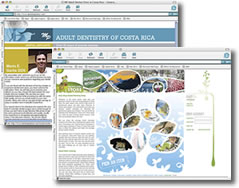
 Many people have the desire to become web designers and it's a great career for those who love to work in detail oriented tasks. A good web design business is more than just some pretty graphics placed in a web page, it's understanding how to make a web site that is attractive both to web site visitors and the big search engines who will decide where a web site is ranked.
Combining XHTML and CSS
Once you've mastered a bit of HTML/XHTML, you'll also want to learn how to apply CSS (cascading style sheets) to your web site. Once you understand the power of CSS you will appreciate how fast web pages can be built and changed using this wonderful language. With CSS you can change characteristics of hundreds or even thousands of web pages with just a few key strokes. It also helps keep the amount of code on the page very low so web pages load quickly and there is a low code to content ration, that is: the amount of real text humans will read is at a higher level than if you did not use CSS. This makes it easier for the search engines to pick out the HTML, JavaScript and other code from the actual words you expect people to read. It speeds up the Indexing process for the search engines and typically results in a better ranking for your web pages. This is because some search engines place a limit on the amount of time they spend reading a web page or the amount of characters they will read.
Some great places to start on learning about web design languages are:
http://www.w3schools.com - our top recommendation
http://www.webmonkey.com - lots of "how to" articles
http://www.htmlgoodies.com - great for beginners
Static vs. Dynamic Web Site Designs
 Using only HTML or XHTML your web site would be what is commonly referred to as "static", that is: the pages do not build themselves dynamically and typically are not changed that often. Some sites are built using PHP, ASP, Javascript, AJAX and other languages to make them much faster and more dynamic. These types of sites are often linked to databases where information is called up and pages are built dynamically as requested by the web site visitor.
These languages are more complex and can be more difficult to learn so we recommend you try HTML and XHTML to begin. If you want to try your hand at programming, a good language to start with is JavaScript. There are a number of web sites that have tutorials on JavaScript - just "google" "JavaScript" and take your pick.
Once you have mastered HTML/XHTML/CSS you will be ready to start playing with a bit of the software that goes with the web development territory. The following packages represent some of the best quality web design and graphics products available on the market:
Dreamweaver: Although in this authors view hand coding is the most preferred method of building a web site, Dreamweaver is one of the best alternatives available for those who need to have a software tool to help. The amount of code Dreamweaver produces can be controlled to some extent by the user learning to make use of the CSS functions, and working in the "code" view to eliminate excessive code that may not be necessary.
Adobe Illustrator: Industry standard for drawing and illustrations, for both print and the web.
Adobe Photoshop: Industry standard for optimizing and manipulating images for web apps and print.
GIMP: An open source alternative to PhotoShop. Does a lot of what the big expensive packages will do and best of all, it's free.
More great web tools for web designers:
http://www.pagerank.net (great web site tools)
http://webdesign.about.com (all about web design)
http://www.webweaver.nu/ (design tools)
http://validator.w3.org/ (validate your HTML)